Battleground Solutions Partner Hub

Welcome back

Resources and support for presenting, selling and delivering Battleground Live.

0Active deals
0Shared files
Product knowledge

Learn Battleground

Understand the product, its value and the evidence behind it.

Commercial support

Sell Battleground

Prepare for client conversations and manage opportunities.

Approved material

Partner toolkit

Current Battleground assets for partner marketing and proposals.

Your partner workspace

Only the live information that helps you progress opportunities.

Open My Deals →

Recent deal activity

Your latest registered opportunities

+ Register a deal
Loading your opportunities…

Shared documents

Files exchanged between you and Battleground. Upload files up to 100 MB.

Loading your documents…

Partner support

Contact the Battleground team for help with an opportunity, demonstration or client question.

Contact Battleground
The platform

Battleground Live, four connected engines, one data core

Everything links: map a process once and it flows through risk, controls, plans, incidents and reporting. RAiDAR AI and pivot reporting run across all of it. Click any module to expand it and see the full detail.

Operating engineunderstand your data, systems, processes, providers & policies
BIA & ProcessesCritical operations & dependencies
Policy ManagerDefine & assess policies
Systems & ProvidersApps & third parties connected
Riskidentify, assess, connect & manage risk with confidence
Risk ManagementAppetite, tolerance & profiles
ControlsIdentify, assess & assure
Action PlansImprovement that gets done
ComplianceLive, data-informed
Issues & IncidentsRespond, learn, improve
Resilienceprepare for disruption & mobilise teams
BIA → BCPGuided BIA builds the plan
Response PlansChecklist plans by role
Incident ResponseWeb & mobile, offline
SimulationsLive exercises, any device
MessengerEncrypted, logged chat
Emergency managementwarnings, weather & incidents connected to your response
TouchbaseTwo-way mass comms
Threat IntelligenceKnow before it hits
Across every module: RAiDAR AI streamlines inputs and drives data quality, and powerful in-platform pivot reporting turns any grid into board-ready insight. Meet RAiDAR →
Included in every package: RAiDAR AI, Policy Manager, Questionnaires, Service Provider Management and dashboard reporting. Pricing is by company size, not per seat.
Open the demo environment ↗
Decks & brochures

Product decks and brochures

Open any deck in the in-built viewer and flip through every page on screen. These are the current global marketing decks, ready to present, and we will send the editable file whenever you want to tailor one for a client.

Partner Program Deck
DeckPartner Program Deck16 pages · View ↗
Product Overview
One-pagerProduct Overview2 pages · View ↗
How We’re Different 2026
DeckHow We’re Different 202616 pages · View ↗
Global Software Flyer 2026
BrochureGlobal Software Flyer 20265 pages · View ↗
Security & Compliance
One-pagerSecurity & Compliance1 page · View ↗
Battleground Live: Expanded
DeckBattleground Live: Expanded23 pages · View ↗
Battleground Live: Brief
DeckBattleground Live: Brief9 pages · View ↗
Battleground Live + Consulting
DeckBattleground Live + Consulting20 pages · View ↗
Battleground Live: Risk
DeckBattleground Live: Risk18 pages · View ↗
Battleground Live: Resilience
DeckBattleground Live: Resilience12 pages · View ↗
Battleground Live: Incident Mgmt
DeckBattleground Live: Incident Mgmt8 pages · View ↗
Battleground Live: Simulations
DeckBattleground Live: Simulations10 pages · View ↗
Battleground Live: Education
DeckBattleground Live: Education7 pages · View ↗
Battleground Live: Applied
DeckBattleground Live: Applied8 pages · View ↗
← Platform overview
Battleground Live

Command Centre

A central view of the organisation's risk, resilience and regulatory position, with the source records behind every result.

Interactive Demo Company sampleExplore every view, filter, chart, print and export control. This is frozen demonstration data, not a live customer system.
Open full screen ↗
Interactive Battleground Command Centre sample using frozen Demo Company data.

What it does

The Command Centre reads across the information already held in Battleground Live: business impact analyses, critical operations, dependencies, plans, risks, controls, actions, incidents, exercises and compliance. It gives executives and programme owners a current view without maintaining a separate reporting workbook, while still allowing them to open the record behind a chart, score or recommendation.

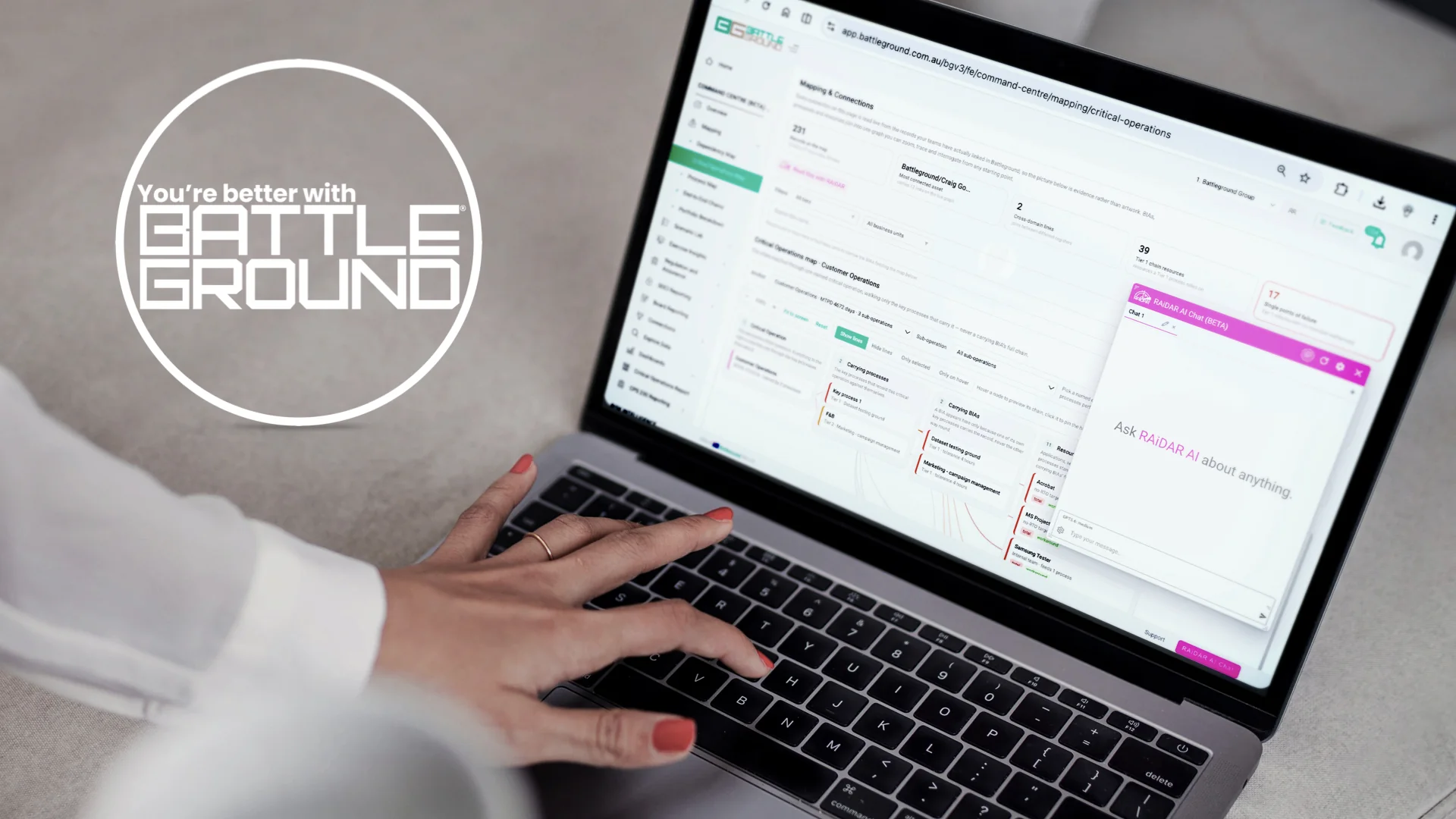
Battleground Command Centre overview and AI insights.

What is included

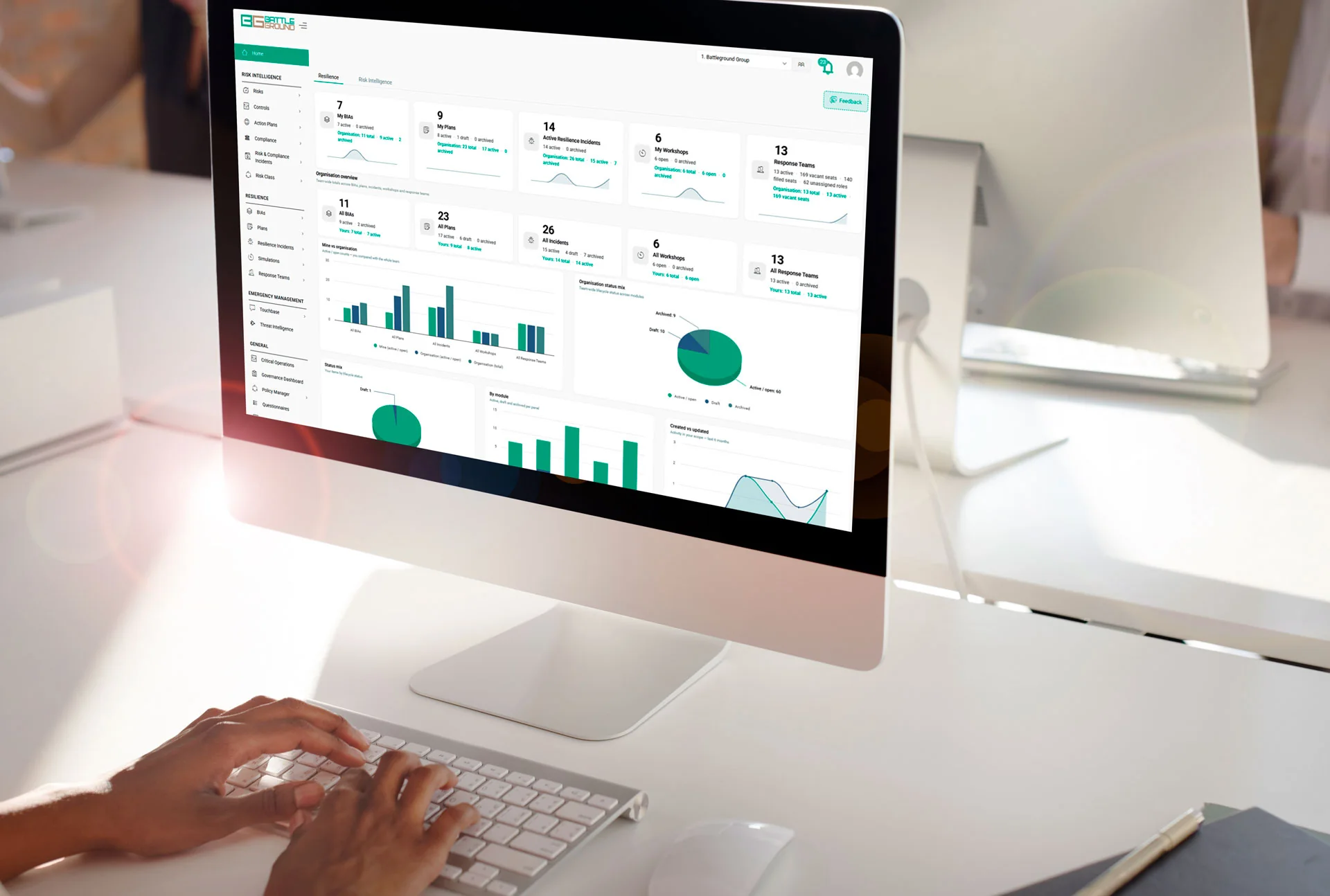
Home and posture overview

A two-minute view of the main indicators, current exceptions, overdue actions, recent incidents and the areas requiring attention. The view can be configured around the organisation's own priorities.

Data health and completeness

Shows whether key records are complete, current and owned before the information is used in a committee paper, board report or regulatory response.

Resilience mapping

Multiple map types show how critical operations depend on people, processes, technology, facilities, suppliers and information. A simple process map is available when a full dependency view is not required.

Connections and chain analysis

Find risks without linked controls, single points of failure, concentration risk, missing workarounds and dependencies that can cause an operation to move outside tolerance.

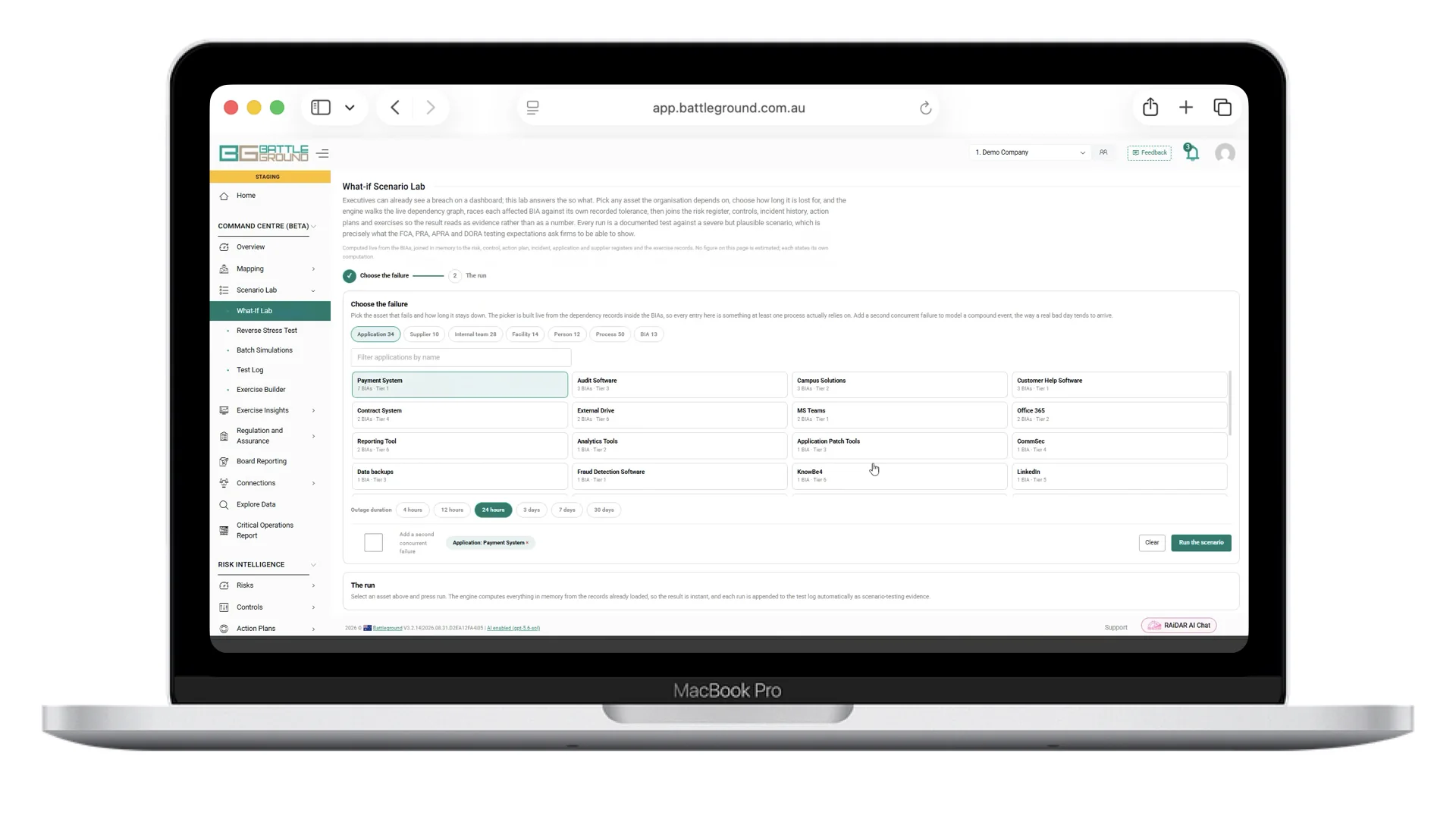
Scenario Lab

Select an outage or disruption and model the likely impact using current dependencies, controls, incidents and workarounds. The output includes the so-what analysis, corrective actions and a printable result.

Exercise coverage

Track which teams and critical operations have been tested, what worked, recurring findings and whether corrective actions have been completed. This supports a continuous exercise programme rather than an annual snapshot.

Regulation and assurance

Prepared views and printable reports are available for named obligations and standards, including SOCI and CPS 230. Coverage is based on the underlying registers rather than a separate attestation.

RAiDAR recommendations

RAiDAR can identify an exception, show the records supporting it and suggest a practical next action. The user checks the evidence and decides what to do.

Reporting

Command Centre reports use the same current records as the working dashboards. Prepared outputs include board, risk committee, important business service, exercise and regulatory reports. Report formats can be adjusted and saved for later reporting cycles.

Live platform dataSource recordsPrintable reportsConfigurable
← Platform modules
Resilience module

Know what must keep running—and be ready when it does not.

Identify critical operations, understand what they depend on, build usable continuity and response plans, test them, and run the response from the same current information.

One resilience recordBIA, BCP, plans, exercises and incidents stay connected.
Web, mobile and printUseful during programme work and during disruption.
Configured to the organisationCriticality, tolerances, approvals and language are yours.
Business impact analysis dashboard in Battleground Live
Guided BIA, recovery priorities and dependency reporting. Sample data.
01 · UnderstandBIACriticality, impacts and recovery needs.
02 · MapDependenciesPeople, technology, facilities and suppliers.
03 · PrepareBCP & response plansCurrent, role-based and ready to use.
04 · TestExercisesProve the plan and capture gaps.
05 · RespondIncidentsActivate teams, plans and communications.
Working sample

Trace one service from tolerance to recovery.

Move through the same service from executive exposure to its dependencies and the plan people need during disruption.

Important service viewIllustrative current records
8Important services
3Outside tolerance
20Single points of failure
Service position

Payments cannot recover inside its approved tolerance.

The service depends on a shared payment application with no tested manual workaround. The same application supports two other Tier 1 processes.

Payment applicationNo workaround
Settlement supplierReview due
Customer operations teamCurrent
Programme decisionConfirm the workaround owner and test it in the next exercise.

A working resilience programme, not a library of documents

Battleground carries approved information forward through the resilience lifecycle. The BIA informs the continuity plan, current plans inform exercises, and the same roles, contacts and checklists are available during a real incident.

Business impact analysis

Capture critical operations, impact over time, tolerances, minimum service levels, recovery priorities and the resources needed to continue.

Dependencies and concentration

Map reliance on people, processes, applications, infrastructure, premises, suppliers and information; then see shared points of failure.

Business continuity plans

Use approved BIA data to build the BCP, including workarounds, recovery requirements, contacts, responsibilities and supporting material.

Response and recovery plans

Give each role the checklist it needs on web or mobile while programme owners monitor activation and progress across teams.

Incident and breach management

Convene the right people, activate the right plan, assign actions and retain a time-stamped record of decisions, communications and work completed.

Testing and improvement

Run exercises from current organisational data, capture observations and decisions, and carry findings into owned corrective actions.

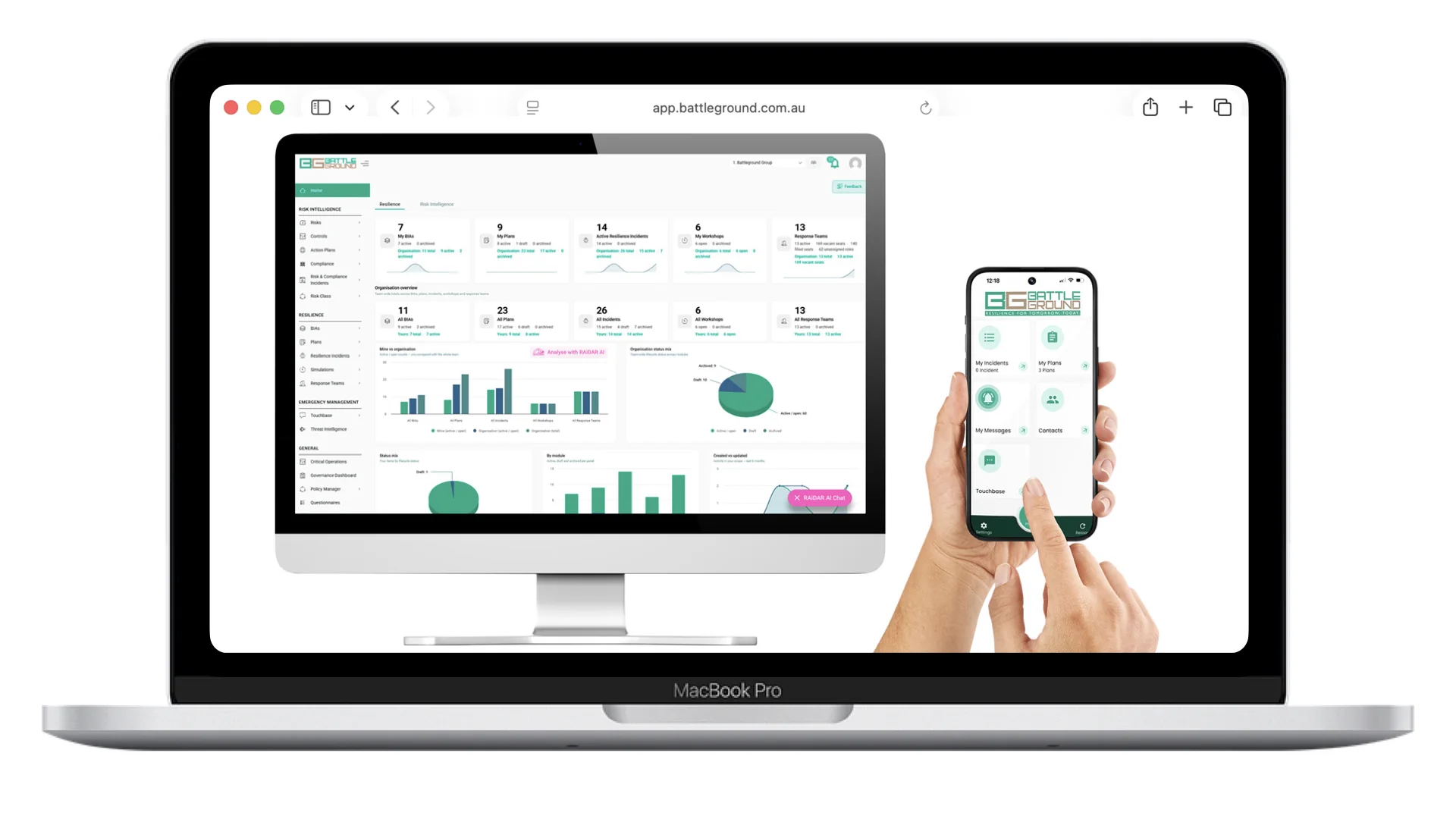
Battleground Live risk and resilience tools on desktop and mobile
The same current information is available to programme teams on desktop and responders on mobile.
From workshop to usable plan

Enter it once. Keep it connected.

Changes to an operation, dependency or recovery requirement should not be copied manually through Word files and spreadsheets. Battleground updates the working record and carries approved information into the plan, exercise and incident process.

1
Guided workshopsConsistent questions, terminology and approvals across business areas.
2
Plans people can usePrintable BCPs plus live, role-based checklists on web and mobile.
3
Programme oversightSee incomplete BIAs, ageing plans, untested operations and overdue findings.
Standards and regulation: configurable support for ISO 22301, CPS 230, DORA and the organisation's own resilience policy. Evidence comes from the working records, not a separate attestation exercise.

Open the resilience modules

Move into the detailed workflow for analysis, planning, exercising or incident response.

Client onboarding

How a client goes live on Battleground Live

Three phases, Design, Implement, Embed, delivered crawl, walk, run. The first module is live in 8–12 weeks. Every onboarding is tailored heavily to each client: their language, their structure, their regulatory context. The sequence below is the standard spine, configured to fit.

Adjusted per client. Dropdowns, criticality tiers, templates, SSO and data imports are all configured to the client. Treat the steps below as the method, not a fixed script.

Design → Implement → Embed

0

Day zero, governance

Nominate platform, technical, risk and resilience owners and confirm decision authority before configuration starts.

1

System enablement

SSO & directory provisioning (Entra/Azure, ADFS), 2FA, phone-number format, access & security first.

2

Shared foundations

Business units, departments, locations, geographies, teams and industries, the language everything else inherits.

3

Core governance artifacts

Consequence table, criticality descriptions and criticality/time-criticality tiers.

4

Risk intelligence

Risk classes, controls, action plans, risks, and risk & compliance incidents.

5

Resilience

BIA dictionaries, dependency & IT-application dictionaries, BCP templates and assets.

6

Execution & go-live

Plans, resilience incidents and simulations, then data import, validation, readiness sign-off, training and hypercare.

Our guiding principle: "Configuration defines language. Language defines data quality. Data quality defines resilience outcomes."

Crawl, walk, run

Battleground doesn't do big-bang rollouts. Clients start where the pain is, prove value, then expand, which is why time-to-value is measured in weeks, not quarters.

Crawl

Build the BIA, print BCPs, develop the risk & control profile and action plans.

Walk

Online & in-app response and recovery planning, control assurance, risk appetite.

Run

Incident management, service-provider management, emergency notifications, risk scenario analysis.

Operational readiness, six stages

1

Stakeholder engagement

Owners, authority & scope agreed.

2

Process & policy alignment

Fit the platform to how they work.

3

Configure & validate

Set up, import, and check the data.

4

Training & transfer

Role-based training and knowledge transfer.

5

Change management

Drive adoption across the business.

6

Support & monitoring

Hypercare, then ongoing optimisation.

QG

5 quality gates

Project Charter → Installation → Authorisation model → UAT → Acceptance.

Go-live + hypercare

Daily guided sessions, then quarterly workshops.

Who does what

ActivityBattlegroundClient
SSO / directory specsProvide & configureApprove & enable
Configuration & data importLeadDefine requirements, supply data
TrainingDeliver (role-based)Identify users & schedule
Stakeholder managementSupportOwn

Training, tailored by role

Role-based tracks for Users, Managers, Executives and the Risk team, pre-implementation, core-user, go-live week (daily guided sessions) and ongoing quarterly workshops, with a named account contact throughout.

Demo environment ↗ System status ↗
← All modules
Resilience · Operating engine

Business Impact Analysis → BCP

Simplify your BIA into a single system, and walk out of a one-hour workshop with the plan already built.

BIA dashboard
The guided BIA and live BIA reporting in Battleground Live (sample data).

What it does

An online, guided Business Impact Analysis that captures your processes and critical operations, determines criticality, and maps dependencies, then links in real time to the plans. Run a custom workshop virtually and the client leaves with a Plan on a Page (PoaP), complete and ready to use.

Key features

  • 6-step BIA wizard built for frontline owners
  • Criticality assessment & time-criticality tiers (MTPD/MSL)
  • Dependency listing, IT, internal & external, linked to plans and incidents
  • Alternate locations & workplace strategies, accessible on mobile when needed most
  • Print the BCP to Word with one touch
  • Built-in pivot reporting to understand your data in real time
RAiDAR AI: drafts process descriptions and manual workarounds from business context, and checks content, a human reviews and approves before anything goes live.
What to say: If they manage BIAs and plans in Word and Excel, this is the wedge: run a one-hour workshop, print the plan, done.
ISO 22301CPS 230DORAPlan on a PageRAiDAR-enabled
← Platform modules
Risk module

One risk picture, from appetite through to action.

Set the framework once, assess against it and keep risks connected to the controls, evidence, incidents and actions that change the exposure. Teams work in the register; executives see the current position without rebuilding it in PowerPoint.

Framework-ledYour matrix, appetite, tolerances and approval path.
Evidence connectedRisks, controls, assurance, incidents and actions.
Current reportingOpen every number back to the working record.
Control effectiveness dashboard in Battleground Live
Control effectiveness, trends and source records in one working view. Sample data.
01 · SetFramework & appetiteYour scales, thresholds and language.
02 · AssessInherent riskCauses, events, impacts and owners.
03 · AssureControls & evidenceDesign, operation and assurance results.
04 · DecideResidual positionAccept, treat or escalate.
05 · ActActions & reportingOwned remediation and current oversight.
Working sample

Read the portfolio, then open what changed it.

Move from overall exposure into control performance and remediation without asking teams to rebuild the position for the meeting.

Risk portfolio viewIllustrative current records
28Risks on register
5High or extreme
4Outside appetite
Portfolio position

Concentration is driving the highest residual exposure.

The largest movements sit across cyber, supplier failure and business disruption. Each rating retains the controls, evidence and decision history behind it.

Cyber security compromiseExtreme
Critical supplier failureHigh
Business disruptionHigh
Management decisionReview the five high exposures and the controls relied upon before accepting the current position.

What teams manage in Risk

The module supports enterprise, operational and non-financial risk without forcing every organisation into the same method. Matrices, terminology, approval steps and reporting views are configured around the client's framework.

Risk register and assessments

Record causes, events and impacts; assign accountable owners; assess inherent and residual risk; and retain the assessment history.

Appetite and tolerance

Apply the organisation's own consequence, likelihood, appetite and tolerance settings so exceptions are visible and escalation is consistent.

Controls and assurance

See the controls relied upon for each risk, test design and operating effectiveness, schedule assurance and retain evidence.

Issues and action plans

Turn a weak control, incident, audit finding or assessment outcome into an owned action with dates, progress, evidence and closure.

Connected records

Link risks to business processes, critical operations, applications, service providers, obligations, policies and incidents instead of maintaining parallel registers.

Operational and executive reporting

Filter and pivot by business area, risk class, owner, appetite, control performance and action status, then open the records behind the result.

Reporting from the same data

Stop rebuilding the risk story every reporting cycle.

Dashboards and reports read the live risk, control and action registers. A reviewer can move from the overall exposure to the underlying assessment, evidence or overdue action without asking for a second spreadsheet.

1
Current positionExposure, appetite exceptions and control performance update as records change.
2
Traceable evidenceEvery chart can be checked against the risks and controls behind it.
3
RAiDAR supportDraft descriptions, spot incomplete records and prepare a first reporting narrative for owner review.
Battleground reporting and analysis view
Reporting is built from the live risk, control, action and resilience records.

Continue through the risk workflow

Open the specialist modules behind controls, remediation and compliance, or move into Command Centre for the combined management view.

← All modules
Risk

Controls & Assurance

Every control linked to the risks, processes and providers it protects.

Controls register
Control register and effectiveness view (sample data).

What it does

Fully integrated capture and reporting of controls, mitigation strategies, assurance assessments and improvement plans. Rate control effectiveness in a simple guided process, on both a design and operational basis.

Key features

  • Connect controls to processes, risks, apps, providers & accountability
  • Prioritise and define assurance requirements
  • Evaluate effectiveness on design and operational basis
  • Control review frequency & classification
  • Assurance evidence and improvement actions in one place
RAiDAR AI: assists in understanding and rating controls for each risk.
What to say: Pair with Risk when they ask "how do we actually know our controls work?"
Control assuranceCPS 230Evidence
← All modules
Risk

Action Plans

Improvement that actually gets done, and tracked.

What it does

Create a plan, define its description and delivery timeline, and link it to the risks, controls, incidents and compliance data it addresses. Track delivery end to end and close with supporting evidence.

Key features

  • Link action plans to risks, controls, incidents & compliance
  • Understand delivery mode, resources and costs
  • Track status, RAG and commentary
  • Close with supporting data and a performance review
What to say: This is the proof that risk work turns into action, boards love seeing remediation actually close out.
Works with: RiskControls
RemediationRAG trackingAudit trail
← All modules
Risk

Compliance

Map an obligation once, and watch it stay current as your controls change.

Compliance dashboard
Compliance mapping and readiness (sample data).

What it does

Practical, data-informed insight into your compliance position. Obligations are linked directly to risks, controls and operations, so readiness is live, not a point-in-time spreadsheet. For CPS 230 and DORA, that live mapping is exactly what the examiner asks to see.

Key features

  • Obligations linked to risks, controls & operations
  • Live readiness, not static attestation
  • RAiDAR analyses documents against relevant standards
  • Real-time visibility of impacts from weakening controls or incidents
RAiDAR AI: extracts discrete, actionable requirements from legislation and complex source material and links them to controls, saving the equivalent of several FTEs, with human review before activation.
What to say: Open with: "If a regulator or board asked for evidence today, what could you show them?"
CPS 230DORAISO standardsRAiDAR-enabled
← All modules
Resilience

Incident & Breach Management

Efficiently manage any incident on the go, web or mobile, even offline.

Mobile incident app
The Battleground mobile app, activate and manage incidents anywhere.

What it does

Initiate and manage incidents from the mobile app or web portal. Find the right people fast through escalating call-out, bring the right plan to life, assign and track tasks, and capture every action in a central, non-editable log.

Key features

  • Trigger incidents from web or mobile in one click
  • Escalate activation via SMS, email & push until roles are accepted
  • Link plans to an incident and assign teams to complete tasks
  • Automated, time-stamped log of every action, viewable by anyone
  • Centrally monitor checklist progress across teams
  • Operates online & offline with built-in redundancy
In the field: a state-wide electricity operator runs incidents from a contractor fatality to cyber events on Battleground, crisis team auto-convened, every action logged.
What to say: Demo this on a phone, the moment the room realises the control centre is in their pocket is the moment you win.
Mobile control centreOfflineAudit log
← All modules
Resilience

Response & Recovery Planning

Response and recovery plans at your team's fingertips.

Plans on the mobile app
Response plans, live on the Battleground mobile app.

What it does

Build any type of response and resilience plan online, personalised to roles and individuals, centrally managed and up to date in real time on mobile. The app takes your plans and lets you run them in real life, in real time.

Key features

  • Checklist-based planning, personalised to roles & individuals
  • Activate plans and teams; escalate to gather the right people
  • Guided incident assessment, know who to call and what to ask
  • Interact with checklists that show your role and others'
  • Centrally managed, current in real time on the mobile app
What to say: Show a checklist appearing on a phone by role, plans that live, not PDFs in a drawer.
Checklists by roleMobileReal time
← Platform modules
Simulations module

Build the exercise. Run the room. Keep the evidence.

Design and deliver realistic exercises in a closed environment, with the scenario, injects, participant activity, observations, debrief and improvement actions managed as one exercise record.

Closed exercise environmentParticipants see only what controllers release.
Every format in one placeAlerts, email, news, social, documents and video.
Evidence retainedDecisions, messages, observations and actions stay together.
Battleground simulation participant workspace
Participant play with alerts, news, social media and controlled injects.
01 · DesignPurpose & scenarioScope, objectives, teams and delivery.
02 · BuildInject scheduleMessages, media, tasks and timing.
03 · DeliverLive exerciseControlled play for every participant.
04 · ReviewDebriefDecisions, observations and evidence.
05 · ImproveOwned actionsFindings tracked through to closure.
Controller view

Run the pressure, not the paperwork.

Step through an exercise as the controller sees it—from the opening inject to executive escalation and the evidence-led debrief.

Exercise control · 09:05Illustrative ransomware exercise
4Teams online
1 / 9Injects released
3Objectives observed
Inject 01 · Alert

Core systems are unavailable across three locations.

Participants receive an operational alert, confirm their roles and begin assessing which services and stakeholders are affected.

Crisis management teamActive
Technology responseActive
Customer communicationsAwaiting task
Controller decisionRelease the ransom demand when the technology assessment reaches the agreed decision point.

The complete exercise lifecycle

Facilitators can deliver desktop, functional and full-scale exercises virtually, in person or as a hybrid. Participants only see the material released to them; controllers retain the schedule, observations and full record.

Scenario design

Set the exercise purpose, scope, objectives, participating teams, roles, timeline and expected decisions before participant access opens.

Multimedia injects

Create alerts, email, SMS, news reports, social posts, memos, documents, images and video, then control exactly when each inject is released.

Live participant environment

Participants receive and respond to injects, forward information, chat, add notes and use voice, video or photographs where enabled.

Controller oversight

Facilitators control pace, add material during play, observe activity and record what happened without entering the participant workspace.

Debrief and report

Bring messages, decisions, actions, notes and observations into the debrief; prepare the exercise report from the retained evidence.

Improvement programme

Convert findings into owners, due dates and actions, then report recurring themes, overdue remediation and exercise coverage in Command Centre.

Radar inside Simulations

A faster first draft, grounded in the organisation.

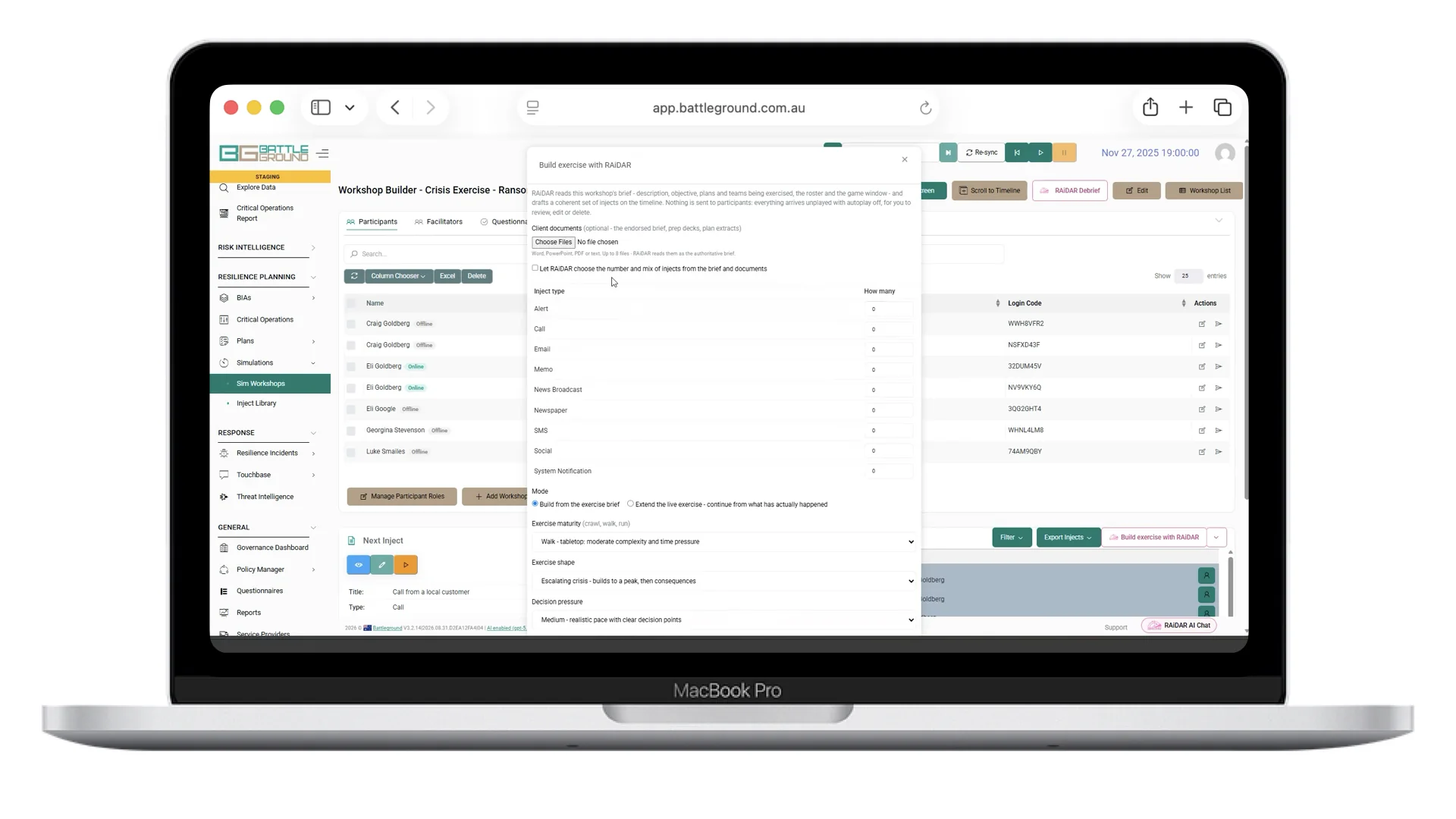
Give Radar the exercise brief and answer a short set of questions. It can use approved BIAs, crisis and continuity plans, dependencies and existing organisational data to prepare the scenario and inject schedule. The exercise designer checks and edits everything before release.

1
Start with the objectiveThreat, scope, audience, duration and level of challenge.
2
Use current contextRelevant operations, plans and dependencies shape the draft.
3
Designer remains in controlReview, change, approve and schedule each component before participants see it.
Example: a council ransomware exercise moved from loss of a critical system to discovery of a ransom demand and then recovery, with participant decisions and communications retained for the debrief.

Connected before and after the exercise

Use current resilience data to make the exercise relevant, then carry findings into incident readiness and Command Centre reporting.

← Platform modules
Touchbase module

Reach the right people. Know who received it. See who needs help.

Send targeted emergency communications by SMS, email and push notification, collect structured responses and follow up with the people who have not replied—all from web or mobile.

SMS, email and pushUse one channel or several for the same communication.
Structured repliesCollect answers the response team can act on.
Individual delivery statusSee exactly who received, replied or still needs contact.
Battleground mobile app in use
Touchbase is available from the Battleground mobile app as well as the web platform.
01 · PrepareMessageUse a template or write for the event.
02 · TargetRecipientsPeople, teams, roles or locations.
03 · SendMultiple channelsSMS, email, push—or all three.
04 · MonitorDelivery & responseIndividual status and live totals.
05 · Follow upNon-respondersContact the people still outstanding.
Live welfare check

Do not stop at “message sent”.

Follow the communication from release through delivery and reply, then isolate the people who still need assistance or direct follow-up.

Welfare check · 14:06Illustrative response data
482People targeted
468Delivered
391Replied
Message released

“Are you safe and able to work?”

The welfare check has been sent by SMS, email and push to staff assigned to the affected locations. Delivery and replies update against each recipient.

Safe and available342
Safe, not available41
Need assistance8
Response decisionAssign the eight assistance requests and prepare a separate follow-up for non-responders.

Emergency communication that gives the team an answer

Touchbase works for planned tests, welfare checks and urgent notifications, either on its own or from an active incident. Each communication retains who was targeted, how it was sent, delivery status, response and time.

Controlled templates

Prepare and approve common messages before they are needed, with standard wording and response options ready for the sender.

Precise recipient selection

Target named individuals, teams, roles, locations and profile data; check the filtered recipient list before releasing the message.

SMS, email and push

Use the best channel for the situation or send through multiple channels. Dedicated sending numbers can be configured by jurisdiction.

Structured two-way responses

Offer up to five response choices so the team receives information it can act on, such as safe, needs assistance or away from the affected area.

Delivery monitoring

See queued, sent, delayed and failed messages at individual level, then switch channel or contact method when delivery does not complete.

Non-responder follow-up

Filter by response, response type or no response and send the next message only to the group that still needs attention.

Battleground mobile app showing incidents, plans, messages, contacts and Touchbase
Incidents, plans, contacts, messages and Touchbase remain together on mobile.
Useful in a test. Essential in an event.

One communication record, from first send to final response.

The dashboard keeps live response totals and the result for every recipient. When Touchbase is launched from an incident, the message and response record stays with the incident timeline for later review.

1
Welfare checksConfirm who is safe, unavailable or requires assistance.
2
Operational notificationsBuilding closures, technology outages, severe weather and security events.
3
Exercises and call-tree testsTest reachability, capture response times and identify stale contact data.
In use: a global super fund operates Touchbase across Australia, the UK and the US with dedicated numbers by jurisdiction, helping staff recognise that an alert is genuine.

Part of the live response workflow

Open Touchbase from an incident, use the right plan, keep responders in Messenger and bring threat information into the same operating picture.

← All modules
Resilience

Messenger

Prepare for disruption and mobilise teams with secure, real-time chat.

Messenger on the mobile app
Secure chat inside every plan and incident, on mobile.

What it does

Two-way secure messaging built into every plan and incident, on web and mobile. Initiate conference calls, video calls and group messaging, with all communication captured as evidence alongside the decisions.

Key features

  • Encrypted chat inside each plan and incident
  • Conference calls, video calls & group messaging
  • Works on web and the mobile app
  • Logged for audit defensibility
What to say: Reassures security-conscious buyers: comms are captured as evidence alongside the decisions.
Works with: IncidentTouchbase
EncryptedIn-contextLogged
← All modules
Emergency management

Threat Intelligence

Know before it hits, warnings and weather events connected to your response.

What it does

Emergency warnings, weather events and other incidents surfaced and connected to your response plans, so a developing threat triggers the right people and the right plan. (Powered by a bushfire.io licence.)

Key features

  • Live emergency & weather threat feeds
  • Connected to your response plans and Touchbase
  • Early situational awareness for incident teams
What to say: Connect a live warning to a response plan, early awareness that automatically triggers the right people.
Works with: TouchbaseIncident
Early warningConnected response
← All modules
Operating engine

Policy Manager

Centrally manage policies, and let RAiDAR analyse them against the standards.

What it does

Centrally manage all policies, procedures and frameworks; map them to regulatory standards and objectives; and keep them current with automated renewal notifications. Included in every package.

Key features

  • Central store for policies, procedures & frameworks
  • RAiDAR analyses documents against relevant standards
  • Map policies to standards, frameworks & objectives
  • Automated notifications when policies are due for renewal
  • Secure storage and easy retrieval
What to say: Included free in every package, an easy "and you also get…" in the close.
Works with: ComplianceControls
Included in all packagesRAiDAR-enabled
← Platform modules
RAiDAR · built into Battleground Live

Ask Battleground. Get an answer you can check.

RAiDAR works with the risk, resilience, control, incident, policy, supplier and exercise records already held in Battleground. It helps people complete work, find gaps, explain the current position and prepare reports—without moving the task into a separate chatbot.

Included in every packageAvailable where the user is already working.
Uses current recordsAnswers are grounded in connected platform data.
Human approvedThe owner checks and accepts the final result.
RAiDAR executive read and resilience scorecard
Executive read, scorecard and the working records behind the result. Sample data.
CompleteDraft the recordDescriptions, workarounds and structured content.
CheckFind what is missingIncomplete, inconsistent or ageing information.
ExplainRead across modulesExceptions, dependencies and source evidence.
ReportPrepare the outputBoard, committee, operational and regulatory formats.
View the work as
Illustrative sample data

Follow the answer back to the records behind it.

Choose a role, then a question. The sample shows how RAiDAR checks connected records, identifies the position and leaves the decision with the accountable person.

RAiDAR executive readCurrent platform records
QuestionRecords checkedEvidence linkedReady to review
Position now

Three important services are outside tolerance.

Payments, customer support and identity verification have recovery arrangements that do not meet their approved impact tolerances. The largest exposure is a shared application with no tested workaround.

Records supporting this read
Impact tolerances13 BIAs34 applicationsExercise results
Next decisionConfirm the application owner and commission a workaround test.
Nothing published automatically. Owner review required.

One question. Three connected moments.

The value is not a clever answer in isolation. It is the path from the current position, through the evidence, to an output the business can use.

RAiDAR executive read inside Battleground
01 · Find the positionStart where the user is already working.

Ask from the Command Centre or a module and receive the current position in context.

Battleground dependency map showing connected evidence
02 · Check the evidenceFollow the finding into the dependency chain.

Open the services, processes, applications, suppliers, teams and actions behind the answer.

Battleground board report prepared from current records
03 · Use the resultTurn the reviewed position into a real output.

Prepare a board, committee, operational or regulatory report without rebuilding the evidence.

One capability, used throughout the platform

RAiDAR does not replace the modules or the accountable owner. It supports the task in context, using the records and relationships already governed inside Battleground Live.

ModuleWhat RAiDAR helps withWhat the user receives
Risk & controlsDraft descriptions, support analysis and check completeness or inconsistency.A clearer assessment, control read and list of records requiring attention.
BIA & BCPDraft process descriptions and manual workarounds, then use approved BIA data in the continuity plan.A structured BIA and current BCP ready for owner review and printing.
Compliance & policyExtract discrete requirements and assist with mapping them to policies, controls, owners and operations.A working obligation set with traceable links, not a separate summary document.
Command CentreRead current indicators across risk, resilience, incidents, actions and exercises.An executive summary with exceptions, recommended next steps and access to source records.
SimulationsUse approved plans, BIAs and dependencies to prepare a scenario and inject schedule.An organisation-specific exercise draft controlled and approved by the designer.
Ask RAiDARAnswer questions across critical operations, suppliers, applications, controls, plans and incidents.A plain-language response grounded in the records the user is permitted to see.
Partner demonstration path

Show it properly in five minutes.

Keep the conversation on the customer’s decision. The source trail proves the answer; the final report proves the value.

0:00Open the live positionStart with their priority module or Command Centre view.
1:00Ask a real questionUse the language their executive or practitioner would use.
2:00Open the sourcesTrace one finding to its owner, control, BIA or dependency.
4:00Prepare the outputFinish with the reviewed report they already need to produce.
Battleground full board pack and report builder
Full board pack built from current operational resilience records. Sample data.
Resilience and risk reporting

From live records to a reviewed report.

Choose a prepared report or describe another output. RAiDAR assembles the current evidence, prepares the narrative and keeps the source records available for checking. The user can change the content and presentation before approving the final version.

Board and risk committeeImportant business servicesBCP and BIA outputsExercise and debrief reportsSOCI and CPS 230 supportSaved report formatsAudience-specific restylingCustom report requests
OptionalStandard module workflows continue when RAiDAR is not used.
Source-visibleUsers can check the records supporting the response or report.
Human decisionNothing is accepted or published without the responsible person's review.
Customer data protectedData is encrypted and is not used to train the model.

See RAiDAR in the work

Open the connected modules to see where drafting, analysis, explanation and reporting are used.

Proof

Outcomes, not adjectives

Real client engagements with measurable outcomes. Click any case study to expand it and see the full background, implementation and results.

+55%faster response (super fund)
−60%incident activation (energy)
300–400 hrssaved per year (≈$30k)
8–12 wksto first module live
Health · Aged Care

RMIA award-winning COVID response

An aged-care provider consolidated 90+ BIAs into one repository and ran its multi-site COVID response on the platform.

RMIA: Most Outstanding COVID-19 Organisational Resilience Response
Infrastructure · Energy

State-wide electricity operator

BIAs, BCPs, crisis plans, incidents & simulations, used to manage everything from a contractor death to cyber incidents, web and mobile.

"Our teams love it.", Group Executive, Corporate Services
Financial Services

Board ransomware exercise

Facilitated a crisis exercise stepping the executive and Board Chair through ransomware decision-making and stakeholder comms.

Sharper delegations & board-ready crisis capability
Financial Services

Multi-team cyber exercise

A 5-hour exercise escalating from IT to an executive crisis team plus four response teams, with a real media crew running 4-Corners-style interviews.

Tested media capability under real pressure
Retail

National retailer, one-hour BIA

Custom virtual BIA workshops across a large national footprint; 162 scattered BIAs consolidated into one source of truth.

A ready-to-use BCP after a one-hour workshop
Financial Services · Pensions

Global super fund

73 BIAs, 21 BCPs and the crisis plan on one platform across AU/UK/US, with per-jurisdiction Touchbase numbers for staff alerts.

Daily BAU resilience, globally

In their words

"The easy-to-use software lets us quickly capture data, run reports and send out continuity plans from a single interface. Coupled with the mobile app, our teams love it."Mark Cannadine · Acting Group Executive, Corporate Services, ElectraNet
"Invaluable, it centralises our BCM data, makes the BIA process more efficient, and provides transparency on our processes, dependencies and systems, making AustralianSuper more resilient."John Murton · Snr Manager, Business Resiliency & Fraud, AustralianSuper
"A massive improvement over the previously Excel and Word-based templates… a significant part of successfully managing bushfires, floods, facility fires and COVID-19. I'd highly recommend Battleground."Matthew Cheal · Head of Risk & Compliance, Home Health, Australian Unity
"It has helped WeWork standardise our emergency-management response and preparations across the globe since 2017… the support has been immense."Michael Gladstone · Director, Emergency Management & Planning, WeWork

More named references available on request: Santos, Police Health, CBUS Super, BankVic, Brighter Super, Mirvac, Charter Hall, Crown Resorts, plus GRC analyst Michael Rasmussen.

Case study deck

Every case study, in one deck

Case Studies
One-pagerCase Studies2 pages · View ↗
Competitive analysis

Where Battleground wins

"Most platforms are built by software engineers trying to understand risk. Battleground was built by risk professionals." From the Project Blue comparison and the partner battlecards.

Best fit by scenario

If the priority is…Best fit
Enterprise resilience + incident response + mobile crisis opsBattleground Live
Security operations, investigations & IRM analyticsResolver
A deep enterprise IRM/RMIS ecosystem (vendor, audit, claims)Riskonnect

Capability scorecard (Project Blue, 1–5)

CapabilityBattlegroundResolverRiskonnect
Risk management545
Control & assurance545
Incident mgmt & crisis ops534
BIA & business continuity534
AI & automation534
Two-way communications522
Simulations & exercises512
Policy management534
Analytics & reporting455
Security & hosting555
Mobile capability533
Commercial model533

Head-to-head battlecards

vs Riskonnect

Their pitch: a broad enterprise IRM/RMIS ecosystem.
First module live in ~8 weeks, not ~18 months
Resilience-first, mobile crisis ops & offline
Crisis-grade two-way comms & simulations built in
They lead on deep RMIS breadth & the highest TCO

vs Resolver

Their pitch: enterprise risk, security ops & investigations with strong analytics.
Full crisis command with mobile depth
BIA-centric business continuity
Crisis-grade comms (they offer basic notifications) & a real simulation environment (they have none)
They lead on investigations & analytics visualisation

vs SAI360

Their pitch: established enterprise EHS/GRC suite.
~90% of the capability at roughly 40% of the cost
Configurable, not a custom build
Resilience & crisis built in, not bolted on

vs Archer

Their pitch: heavyweight enterprise GRC.
Hosted locally in AU / UK for data residency
Usable by the business, not just specialists
Weeks to value, not multi-quarter rollouts

vs Protecht

Their pitch: Australian enterprise risk platform.
Configurable, not customisable, change it yourself, no consultant
Resilience, crisis & mass comms in the same core
Mobile-first, works offline

vs internal spreadsheets (the real competitor)

Their pitch: "we already manage this in Excel and Word."
One live source of truth, plans, incidents & comms in one place
Audit-ready, on mobile, current in real time
A one-hour BIA workshop leaves them with a finished plan

Commercials & implementation

BattlegroundLegacy GRC
PricingBy company size, not per seat; module-based with multi-module discountsPer-user or enterprise licensing; typically highest TCO
Onboarding costNo upfront cost; free data migration~$20k+ onboarding fees
Time to valueFirst module live in 8–12 weeks12–18 month rollouts
HostingIn-region (AWS Sydney + Google Cloud Melbourne for AU); ISO 27001 / SOC 2 IIVaries; often offshore
When to pick us: resilience, crisis readiness, risk-to-operations visibility, AI-supported governance and rapid incident mobilisation. Honest steer, for the deepest enterprise IRM analytics ecosystem, Riskonnect; for security investigations, Resolver.
Battlecard deck

The competitive battlecards, in one deck

Competitive Battlecards
One-pagerCompetitive Battlecards2 pages · View ↗
The demo script

The 20–25 minute demo flow

Straight from the partner demo script. You're selling resilience improvement, not software, frame the pain first, then walk the connected spine.

1

Frame the pain

Cyber, flood, loss of people, IT outage, make it their world.

2

Touchbase

Reach everyone in seconds; responses tracked live.

3

BIA → BCP

Guided BIA; one click prints the plan.

4

Risk & controls

Profiles, control assurance, live dashboards.

5

Incident

Activate web/mobile; tasks, logs & escalation.

6

Simulation

Live injects; audit-ready debrief.

7

Compliance

Obligations mapped once, kept current.

8

Close

Proof, named clients, next step booked.

Open the demo environment ↗
Discovery

Three questions that open the conversation

"If a regulator or board asked for evidence today, what could you show them?"

"Where are you still relying on spreadsheets, static plans or fragmented workflows?"

"How quickly can leadership get a defensible answer during a live disruption?"

Objection handling

Have the answer ready

"We already have a GRC tool."Most are built for risk teams. Battleground is resilience-first and built for the frontline, and it activates your GRC in real time, turning static data into live action. Runs standalone or alongside what you have.
"AI isn't safe for compliance."RAiDAR never auto-publishes. Every output is human-reviewed and approved, and your data never trains the model, so you keep audit defensibility.
"Implementations take forever."Start with one module where the pain is, go live in 8–12 weeks, then expand. Crawl, walk, run.
"Is it just another dashboard?"It's mobile-first and works offline, the control centre is in your team's pocket when the incident hits.
Solutions Partner Program

A new revenue line, faster delivery, and an edge rivals can't copy.

No upfront cost. No risk to start. Refer, consult or resell, run one model or grow between them. Register every opportunity with us, and we never compete with you.

Register a deal
Battleground Solutions Partner
Three ways to partner

Your reward scales to the effort you take on

Run one model or move between them. Commercials are agreed per partner, talk to us for the current terms.

Model C

Refer

Introduce & hand off

Introduce a client and hand off. We sell and deliver everything.

  • Lowest effort, fastest to start
  • We provide all sales & delivery
  • Finder's fee on year-one software
Model B

Consult

Deliver in the platform

Embed Battleground Live in your delivery and keep your consulting fee.

  • Deliver in the tool, not on a whiteboard
  • Platform access, training & templates
  • Recurring revenue on the software
Model A

Resell

Sell it yourself

Sell the software yourself, with our team behind you.

  • Demo & closing support
  • Pricing & sales materials
  • Highest reward, recurring annually
Partner Resources

Everything you need to market Battleground

Use the approved LinkedIn ads, partner badges, logos, website photography and system pictures in your own campaigns, proposals and pages. The brand essentials below keep your work consistent; each downloadable asset collection has its own page in the menu.

Logos

The Battleground logo, every format

Each logo is supplied in three formats so it works everywhere. Use the SVG for anything on screen or on the web because it stays sharp at any size, the PNG when you need a transparent image for slides or documents, and the PDF for print and for your designer. The primary logo is the default, the white version is for dark or photographic backgrounds, and the mono version is for single-colour printing.

Primary logo
Primary logo
Primary logo (white)
Primary logo (mono)
Primary logo (mono)
Logo with tagline
Logo with tagline
Logo with tagline (white)
Logo with tagline (mono)
Wordmark
Wordmark
Wordmark (white)
Wordmark (white)
Wordmark (mono)
Wordmark (mono)
Icon / app mark
Icon / app mark
Icon (white)
Icon (white)
Icon (mono)
Icon (mono)
Not sure which one to use? Reach for the primary logo with tagline on a light background almost every time. Switch to the white version only when the logo sits on a dark photo or a solid colour.
Logo usage

Keeping the logo looking right

A few simple habits keep the brand strong wherever it appears. Give the logo room to breathe, keep it legible at small sizes, and never redraw or restyle it. When in doubt, place the logo on a clean light background and let the colour come from the artwork itself.

Please do

  • Leave clear space around the logo equal to the height of the “B” on every side.
  • Keep the full logo at least 24 pixels tall on screen, or 15 millimetres wide in print, so the tagline stays readable.
  • Use the white logo on dark photos and solid colours, and the primary logo on light backgrounds.
  • Scale the SVG whenever you can, so edges stay crisp at any size.

Please don’t

  • Stretch, squash, rotate or add effects such as shadows or outlines to the logo.
  • Recolour the logo or place the primary teal version on a busy or low-contrast background.
  • Rebuild the wordmark in another font or move the icon and text apart.
  • Sit the logo on a colour that leaves it hard to read.
Colours

The brand palette

Victory teal leads the brand and should carry headings, key accents and links. Rich Black is the colour for body text, and the softer greens and creams make calm, premium backgrounds. AI Pink belongs to RAiDAR and our AI story, so use it for small highlights rather than large areas. The hex values below match the master palette exactly.

Victory#00A786Primary brand colour. Headings, key accents and hyperlinks.
Heading Green#007D64Heading colour inside Word and PDF documents.
Earth#AB927CWarm tan for headlines and callouts.
AI Pink#FF57BERAiDAR and AI accents only. Use sparingly for highlights.
Grass#E6ECD1Soft light background.
Clarity#FBF6EACream light background.
Sky#A7D3D3Secondary tone within communications.
Steel#5E8A8ASecondary tone within communications.
Rich Black#000104Primary font and body-text colour.
Typography

Poppins, our one typeface

Battleground uses Poppins everywhere, from slides to documents to the web. Pair a bold or extra-bold headline with a lighter supporting line, and let one word carry a Victory-teal accent when you want emphasis. Keep body copy in regular weight and in Rich Black so pages stay easy to read.

Resilience for tomorrow, today.
Poppins Regular for body. Bold and Extra-bold for headlines. Black for statement moments.
Weights in the pack: Regular, Medium, SemiBold, Bold, ExtraBold and Black, each with an italic. Install the whole family so every Battleground template renders correctly.
Icons

Module icon library

These are the icons we use across the platform and in our decks, one for each part of Battleground Live. On a light background, sit each icon on a Victory-green coin as shown so it stands out, and on a green background let it sit on its own. Keep the set consistent rather than mixing in icons from other libraries.

BIA
BIA
Risk
Risk
Controls
Controls
Action plans
Action plans
Compliance
Compliance
Incident
Incident
Simulations
Simulations
Touchbase
Touchbase
Threat intel
Threat intel
Messenger
Messenger
Partner badges

Solutions Partner badges and lockups

Show your partnership with the Battleground Solutions Partner badge on your website, proposals and email signature. There is a general badge plus a version for each model, and a lockup that pairs your name with ours. Use the wording “Solutions Partner” exactly, and please do not describe the relationship as “Certified” or “Official”, as those are not terms we use.

Solutions Partner badge
Referral Partner badge
Consulting Partner badge
Reseller Partner badge
Partner lockup
Partner lockup
Referral lockup
Referral lockup
Consulting lockup
Consulting lockup
Reseller lockup
Reseller lockup
Placement: keep the badge clear of other logos, do not recolour it, and link it to battlegroundgroup.com. If you want your own logo locked up with ours for a campaign, send it over and we will build the lockup for you.
Partner Resources

Logos

Download approved Battleground logos for websites, campaigns, proposals and print. Use SVG on the web, PNG for documents and presentations, and PDF for professional print.

Primary Battleground logo
Primary logo
White Battleground logo
White logo
Logo use: keep clear space around the mark, do not stretch or recolour it, and use the white version only on dark or photographic backgrounds.
Partner Resources

Partner badges

Show your Battleground partnership on your website, proposals, campaigns and email signature. Use the badge that matches your partner model and keep the wording “Solutions Partner” unchanged.

Solutions Partner badge
Reseller Partner badge
Keep the badge clear of other logos, do not recolour it, and link it to battlegroundgroup.com.
Partner Resources

LinkedIn ads

Ready-to-use Battleground campaign artwork for LinkedIn. Download the latest approved creative, pair it with your own partner message and use it without redesigning the supplied artwork.

Battleground LinkedIn banner
LinkedIn banner
Battleground LinkedIn ad
LinkedIn ad
Partner Resources

Website pictures

Approved Battleground photography for partner websites, landing pages, proposals and campaign layouts. Download the current image rather than copying an older version from another page.

Battleground brand hero
Team huddle
Team huddle
RAiDAR AI
RAiDAR AI
Partner Resources

System pictures

Current, approved Battleground Live interface pictures using safe demonstration data. Use these in product pages, sales decks and proposals without altering the interface shown.

Platform dashboard
Platform dashboard
BIA screen
BIA screen
Controls dashboard
Controls dashboard
Partner Resources

Images and screenshots

Use these approved brand photos and product screenshots in your own decks and pages. The screenshots use demo data and are safe to share publicly, so you can show the real platform with confidence. Please do not alter the product interface in the images, and keep photography on-brand and uncropped where you can.

Brand photography

Brand hero
Brand hero
Office
Office
Meeting
Meeting
Team huddle
Team huddle
Cyber / SOC
Cyber / SOC
RAiDAR
RAiDAR

Product screenshots

Platform dashboard
Platform dashboard
BIA screen
BIA screen
Controls
Controls
Simulation desk
Simulation desk
Mobile app
Mobile app
RAiDAR AI
RAiDAR AI

System picture gallery

The full set of approved product and system images. Click any picture to open it full size, then step through the whole set with the arrows. All are safe to use in your own decks and proposals.

Platform dashboardPlatform dashboard
Board reportsBoard reports
Controls registerControls register
Controls detailControls detail
Scenario LabScenario Lab
Dependency mappingDependency mapping
Compliance (AU)Compliance (AU)
Compliance (Global)Compliance (Global)
RAiDAR AI assistantRAiDAR AI assistant
Business Impact AnalysisBusiness Impact Analysis
GRC modulesGRC modules
Platform wheelPlatform wheel
RAiDAR AIRAiDAR AI
Battleground Live previewBattleground Live preview
Mobile app in handMobile app in hand
Desktop and mobileDesktop and mobile
Mobile control centreMobile control centre
Latest featuresLatest features
Risk & Resilience wheelRisk & Resilience wheel
← All case studies
Health · Aged Care

Multi-site aged care provider, award-winning COVID-19 response

A multi-site aged care provider used Battleground to coordinate resilience and inform management decisions across its sites, including through the COVID-19 pandemic, and was recognised by the RMIA for its response.

RMIAAward winner
Multi-siteCoordinated response
Incident-agnosticAny disruption

Background

An aged care service provider needed to inform management decisions and coordinate resilience across multiple sites. Organisations like this can be subject to a wide range of unforeseen circumstances, a fire, flood, cyber-attack or a drop in the market, each of which can have significant consequences and must be managed immediately and effectively.

Implementation

The provider uses the Battleground platform's reporting tools to inform management decisions, alongside incident management, planning and simulations across its sites. The system is incident-agnostic, so any type of incident can be planned for and managed. Because the mobile app stores data on the device since the last synchronisation, people can access the information relevant to them on the fly, even when mobile networks are overwhelmed or unavailable, with every action logged and stored locally until it can be sent to the web app. Role-awareness means each person sees only the information relevant to their role during an incident, rather than being overwhelmed.

Results

The provider successfully navigated the pressures and demands of the COVID-19 environment across multiple sites, ending with recognition by the RMIA for the Most Outstanding COVID-19 Organisational Resilience Response (Health & Community), a response supported by the Battleground platform and suite of tools. Completing the relevant Battleground modules also enhanced the organisation's compliance with local regulations.

Aged careCOVID-19RMIA AwardMulti-siteMobile
← Back to all case studies
← All case studies
Infrastructure · Energy

State-wide electricity infrastructure operator

A state-wide manager of electricity infrastructure runs its entire business continuity programme on Battleground, online and via the mobile app, managing incidents from a contractor fatality to cyber security events.

All BCMOne platform
Web + mobileOnline & offline
BIA → BCPAuto-populated plans

Background

As a state-wide manager of electricity infrastructure in Australia, the need for business continuity was paramount. A one-of-a-kind analysis was needed to manage staff and contractors, through to cyber security incidents and COVID-19.

Implementation

The company's crisis team is initiated via automatic conference calling, after which they follow the checklists provided in the mobile application; all activity logs for the team are captured online in Battleground. Battleground developed the Business Impact Analyses, BCP and crisis plans, incident management and simulations, delivered online and via the Battleground Response mobile application.

Results

Using the full potential of Battleground, the client has managed incidents ranging from the death of a contractor through to cyber security incidents and COVID-19. For business continuity, the company's BIAs are performed in Battleground, with paper-based plans automatically populated after each one before being translated into an online, app-based version.

"The easy to use and intuitive software enables us to quickly capture required data, run reports and send out continuity plans from a single interface. Coupled with the mobile app, we have a robust and user-centric system that our teams love."Group Executive, Corporate Services
EnergyBIA → BCPIncident managementSimulationsMobileCyber
← Back to all case studies
← All case studies
Financial Services

Executive & board ransomware crisis exercise

A financial services client tested how its executive and board make decisions under a live ransomware scenario, and came away with clearer delegations and stronger crisis capability.

Crisis exerciseExec + board
ScenarioRansomware
OutcomeClearer delegations

Background

The client wished to complete a crisis exercise that focused on the interactions between the executive and the board in crisis response, and on responding to ransomware demands.

Implementation

Battleground facilitated a crisis exercise that commenced with executive engagement and the mobilisation of response plans. This required management to step through decision-making around how to respond to a ransomware scenario, including Board Chair engagement and decision-making, as well as the communication of outcomes to key stakeholders.

Results

Battleground identified opportunities to improve, not only within crisis response but also in the clarity of delegations from the board to management, enabling the client's executive team to build capability in meeting the board's needs in a crisis scenario.

Financial servicesCrisis exerciseRansomwareBoardDecision-making
← Back to all case studies
← All case studies
Financial Services

Five-hour multi-team cyber exercise with live media

A financial services firm consolidated its BCM maturity with a five-hour cyber exercise spanning IT, operations, an executive crisis team and four response teams, complete with a real media crew.

Duration5 hours
TeamsExec + 4 response
MediaLive camera crew

Background

The client needed to consolidate recently enhanced BCM maturity through a cyber-based exercise focused on timely escalation and the coordination of multiple teams managing the strategic, technical and communications response, the latter incorporating media engagement via the participation of a media crew in the exercise.

Implementation

Battleground facilitated an exercise of five hours' duration, involving escalation of the event from IT and operational channels through to the activation of an executive-level crisis team and four additional response teams. Battleground brought in a camera crew to exercise the media capability of the business through orchestrated stand-up and '4-Corners' style interviews.

Results

The client further enhanced its crisis capability and skill in media engagement, whilst identifying valuable improvements regarding crisis team operations, crisis communications, decision-making rights and responsibilities, and the invocation of Business Continuity Plans.

Financial servicesCyberSimulationsMediaMulti-team
← Back to all case studies
← All case studies
Retail

One of Australia's largest retailers, a BCP in a one-hour workshop

A national retailer across the outdoor, sports and auto sectors uses Battleground to run BIAs at scale, participants leave a one-hour workshop with a complete, ready-to-use business continuity plan.

ReachNationwide
WorkshopOne hour
OutputReady-to-use BCP

Background

As one of Australia's largest retailers across the outdoor, sports and auto sectors, the need to develop and manage business impact analyses and resilience planning was high.

Implementation

Given the large reach of the company, Battleground was selected for their BIAs given the ability to run custom workshops virtually, quickly and online.

Results

Battleground seamlessly manages the entire business impact analysis, resilience planning and incident management nationwide. Participants leave with a business continuity plan after only a one-hour workshop, complete and ready to use.

RetailBIA workshopsNationalFast time-to-value
← Back to all case studies
← All case studies
Financial Services · Pensions

One of Australia's largest super funds, daily resilience across AU/UK/US

A global super fund consolidated 73 BIAs, 21 BCPs and its crisis management plan onto Battleground, and uses it every day as business-as-usual across three jurisdictions.

73 BIAs21 BCPs
FootprintAU · UK · US
UsageDaily BAU

Background

One of Australia's largest super funds, with offices in Australia, the UK and the US, keeps 73 Business Impact Analyses, 21 Business Continuity Plans and its Crisis Management Plan on the platform, ready for easy activation.

Implementation

Battleground Live allowed the fund to consolidate all of this information into one simple platform, enabling anyone in the organisation to quickly understand situations, their impact and business criticality. The fund uses Battleground every day as part of BAU, with BCM champions across the business trained to maximise the platform for BIAs and planning. The crisis team is initiated through the platform, following the relevant plan checklists in the mobile application, with all activity logs captured online.

Results

The fund uses Touchbase to contact staff globally when security events occur, such as physical threats. With a local and global presence across Australia, the United Kingdom and the United States, there are dedicated phone numbers for each jurisdiction, so when staff receive communication from that number, they know it could only have been initiated by the fund. All of the fund's crisis exercises are designed in the Simulations module, and the Incident Management module is used to manage fund-wide resilience incidents.

SuperannuationGlobal73 BIAs · 21 BCPsTouchbaseDaily BAU
← Back to all case studies
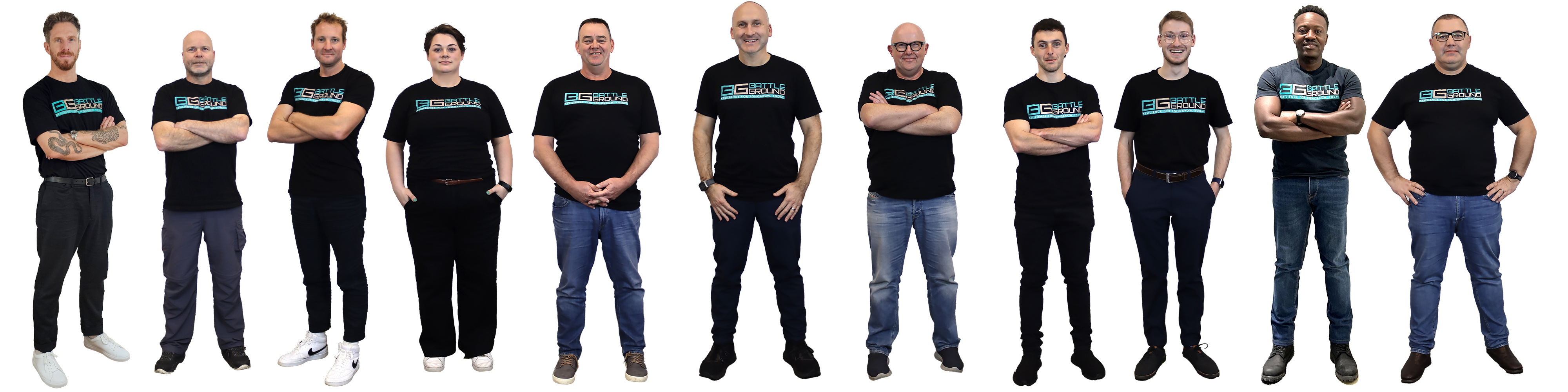
The team

Built by risk & resilience professionals

Battleground is a software-driven consultancy. The people behind the platform have led risk and resilience functions, co-authored regulation, and run crises for real, which is exactly why partners can stand behind it.

The Battleground team
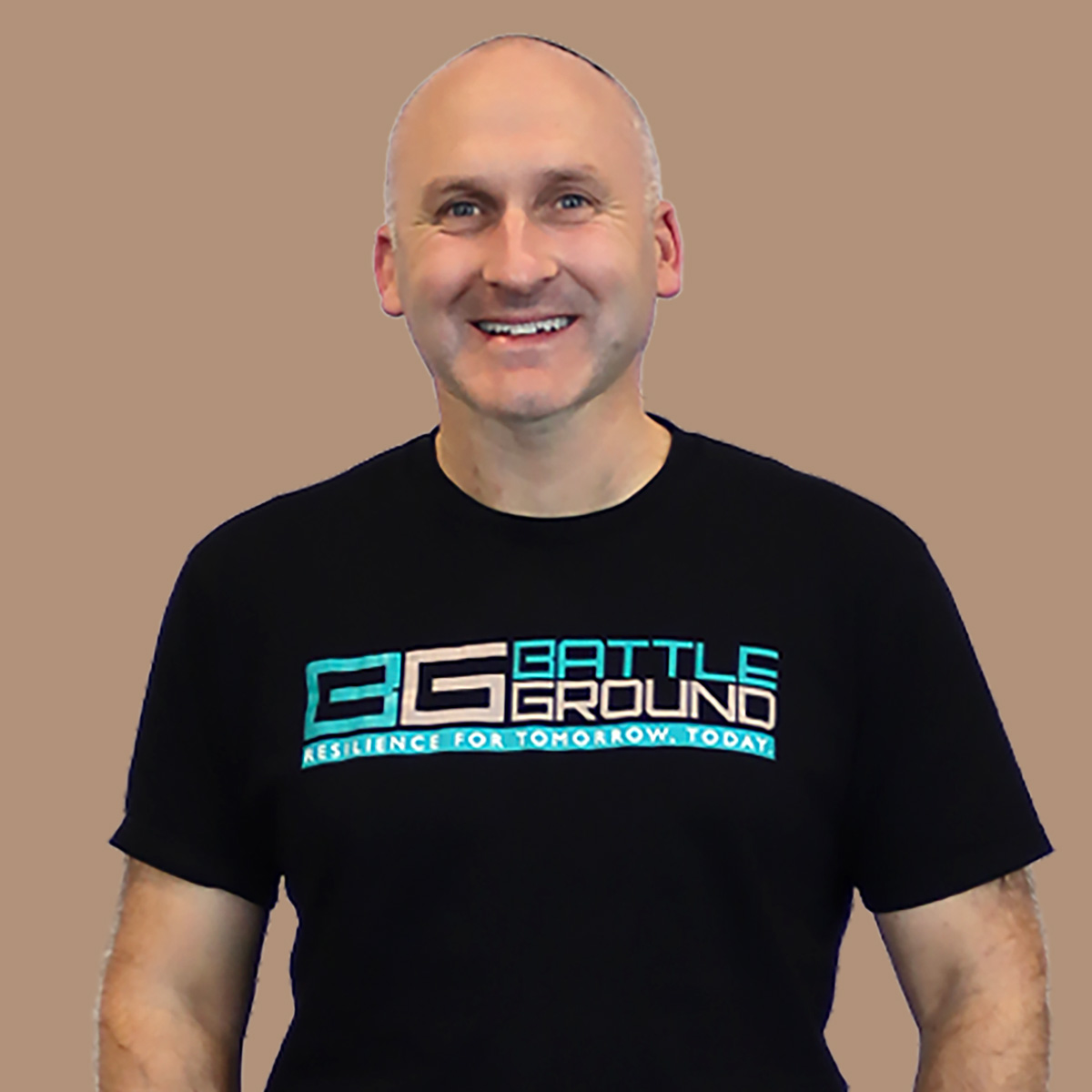
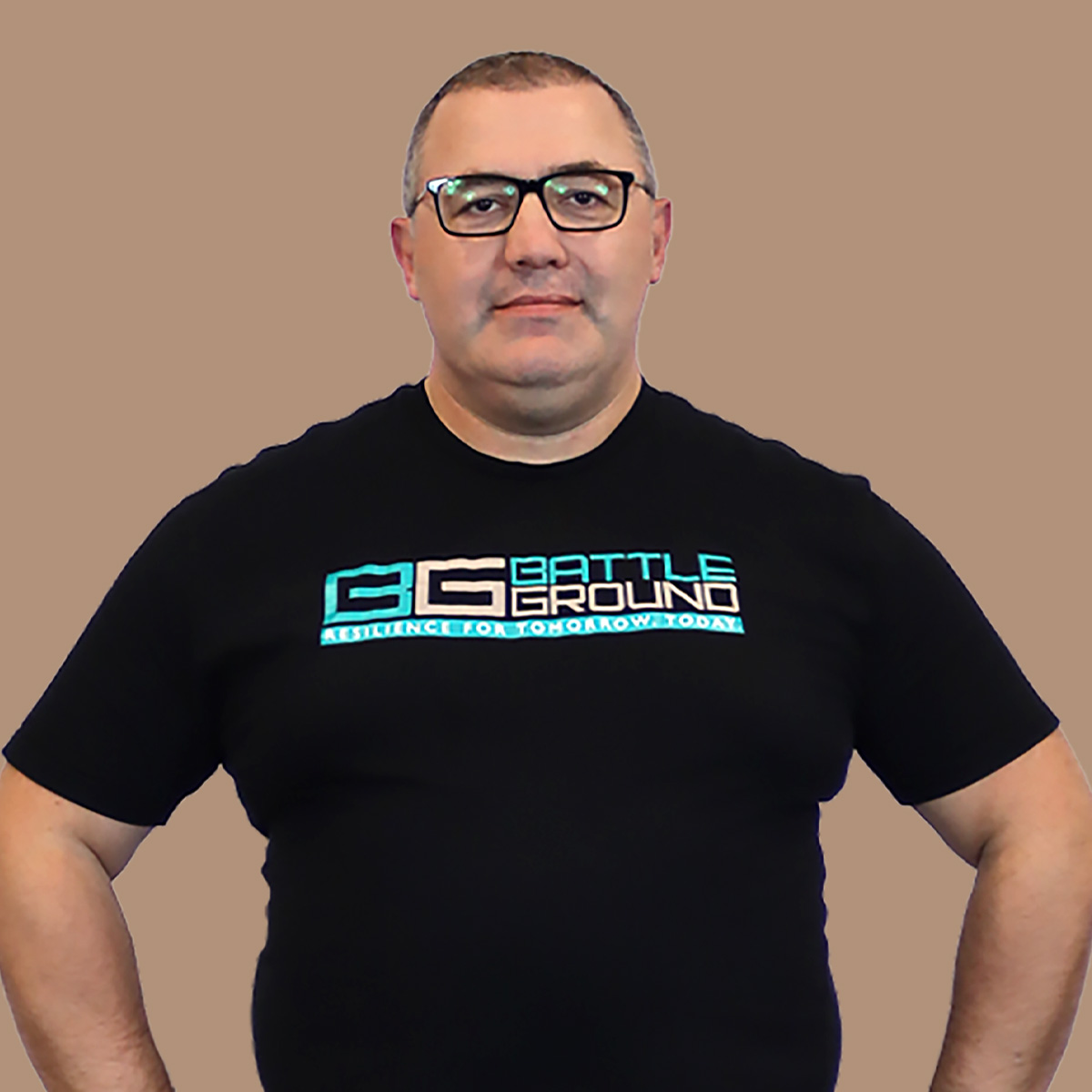
Craig Goldberg

Craig Goldberg

CEO & Founder

A former Deloitte Partner with 20+ years in the field, Craig is behind several global innovations in business continuity and resilience, bridging the gap between IT and the business.

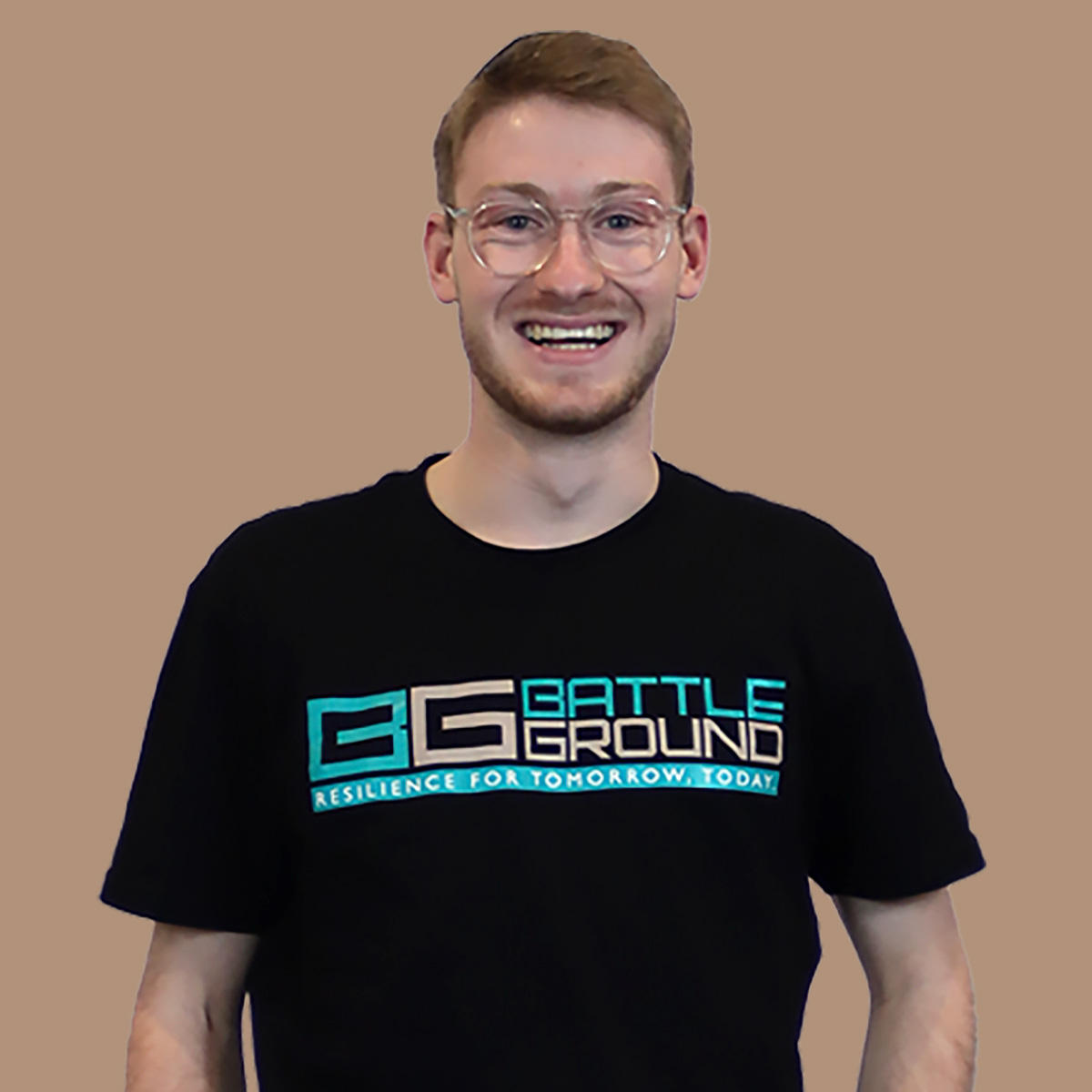
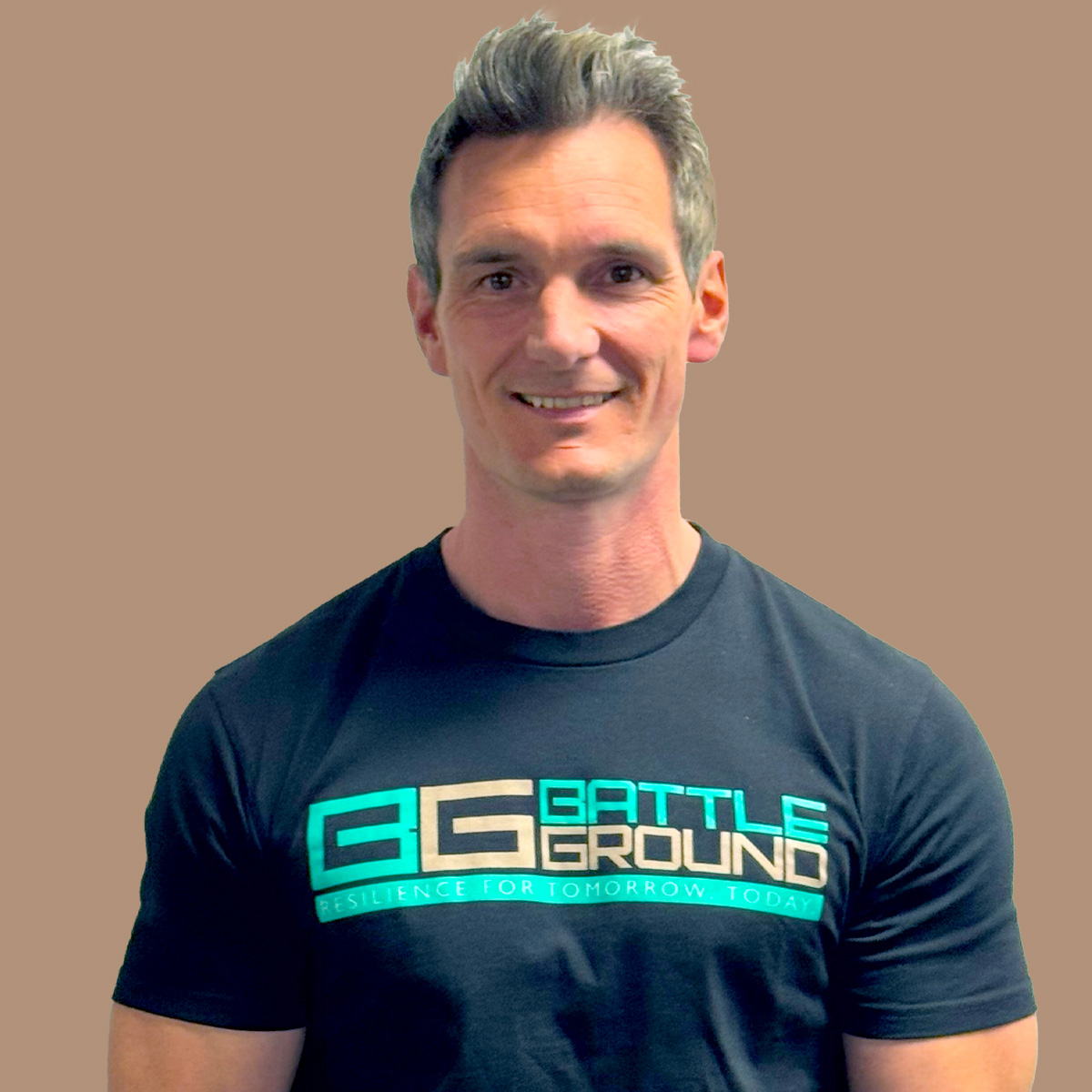
Eli Goldberg

Eli Goldberg

Head of Battleground UK | Resilience Consultant

Leads Battleground Live's growth across the UK & EMEA. Known for cutting through "paper resilience", and a recipient of the RMIA Risk Award in 2024.

Joe McDavitt

Joe McDavitt

Director, Operational Risk | Head of Product

The key architect of Battleground Live, with 20+ years in operational risk and a specific focus on APRA CPS 230.

Paul Minter

Paul Minter

Director, Risk & Resilience

Led APRA's risk transformation team for five years and co-authored Australian operational risk regulation (CPS 230). Career began at the Bank of England implementing Basel III operational risk capital.

Luke Smailes

Luke Smailes

Director, Risk Strategy & Technology

An expert in APRA's prudential architecture, consulted as part of the industry group at APRA in relation to CPS 230 and CPG 230.

20+ years. Used globally.

Founded & developed in Australia, supported locally across the UK, US, Canada and beyond.

Wider bench

David Kishenevsky

Co-Owner

Brings a growth mindset and global perspective; a hands-on investor ensuring the technology and services stay industry-leading.

Peter Duffy

Director, Risk & Resilience

30 years' experience; most recently led the Enterprise Risk function for the CSIRO, Australia's national science agency.

Georgina Stevenson

Manager, Risk & Resilience

8+ years in risk & resilience; Lean Six Sigma, Certified Practicing Risk Associate (CPRA) and an MBA.

Mark Caton

Sales Director

20 years helping organisations around the world digitise and strengthen their risk & resilience posture.

Robin van Bergen

Manager, Risk & Resilience

25+ years of international senior IT/technology experience; recently led a customer-owned bank's CPS 230 implementation.

Ray Kleijngeld

CTO

30 years of IT industry expertise leading the engineering behind Battleground Live.

Why it matters for partners: when you put your name to Battleground, you're backed by people who have sat in the risk seat and written the rules, not a software vendor learning the domain.
×
×
Solutions Partner Program

Register a deal

Tell us about the opportunity below and our partner team will be in touch. You keep the client relationship, and we never compete with you.